Workout & nutrition tracker · AI coach · iPhone and web
How today
is going.
Gymswell is a workout and nutrition tracker with an AI coach, built for people who lift and want to see progress. Log a set or a meal in seconds. The Dashboard says where the day stands, and the coach plans your next session from what you actually lifted.
Free to download, no card.
The Dashboard, today. Every number is real.
The Dashboard, as it looked this afternoon. Rebuilt here in HTML; every number is real.
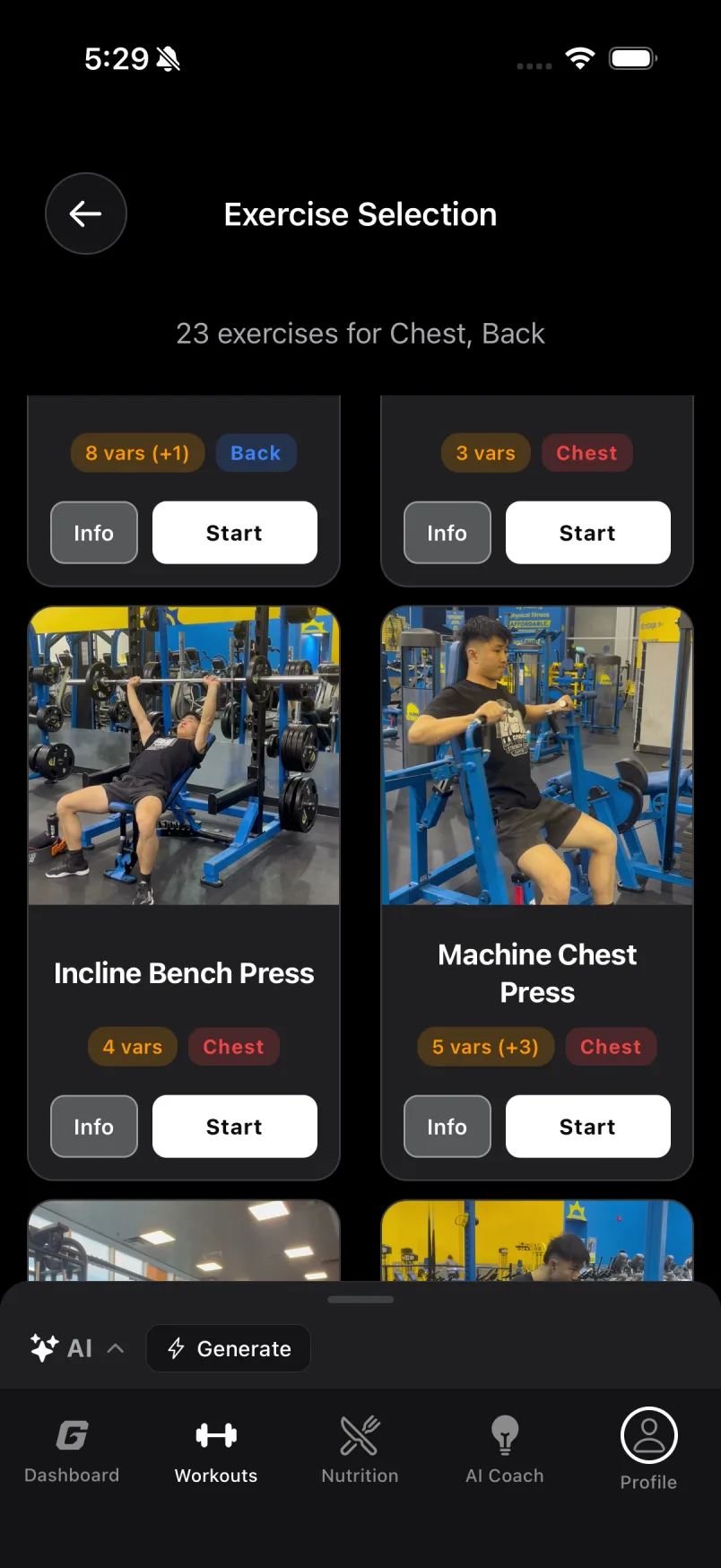
Three of the 160, from the library. Our gym, our camera.
- 160exercise videos, filmed by us in a real gymvideos, our gym
- 89movements, with every barbell, dumbbell, cable and machine variantmovements, every variant
- 13,000foods searchable with no connection, plus barcodesfoods, offline
- Apple Health
& StravaSyncweigh-ins and cardio in, workouts out, runs and rides loggedApple Health & Strava
01 · AI food logging
Snap it.
It is measured.
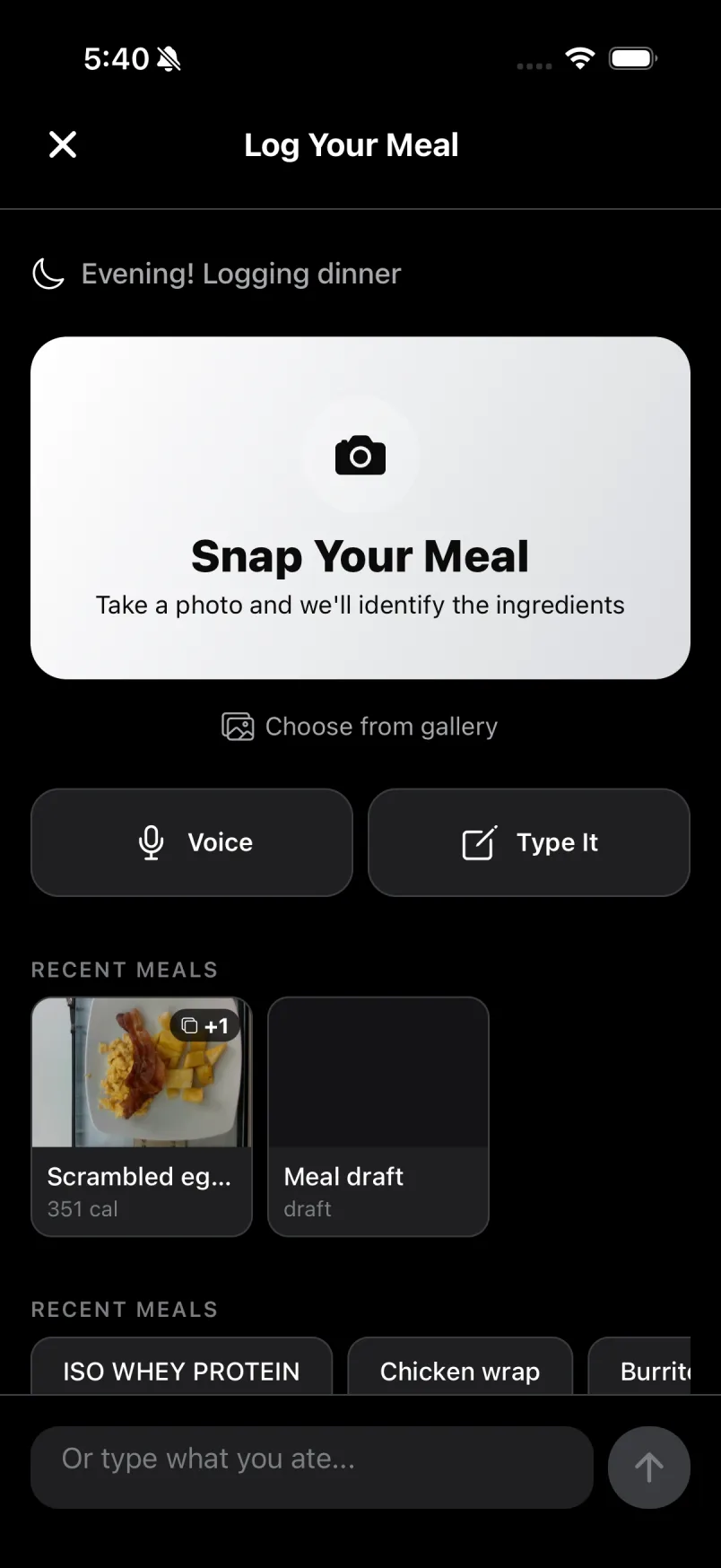
One photo and the meal is logged: ingredients named, portions weighed from the picture. Not “one typical serving”, the amount on your plate. Five seconds, not five minutes.
- Portions measured from the photo, not guessed
- A second angle is allowed to change the number
- Or say it, type it, scan a barcode, re-log in one tap
- Barcodes say where their numbers came from
02 · The coach
A whole session,
one tap.
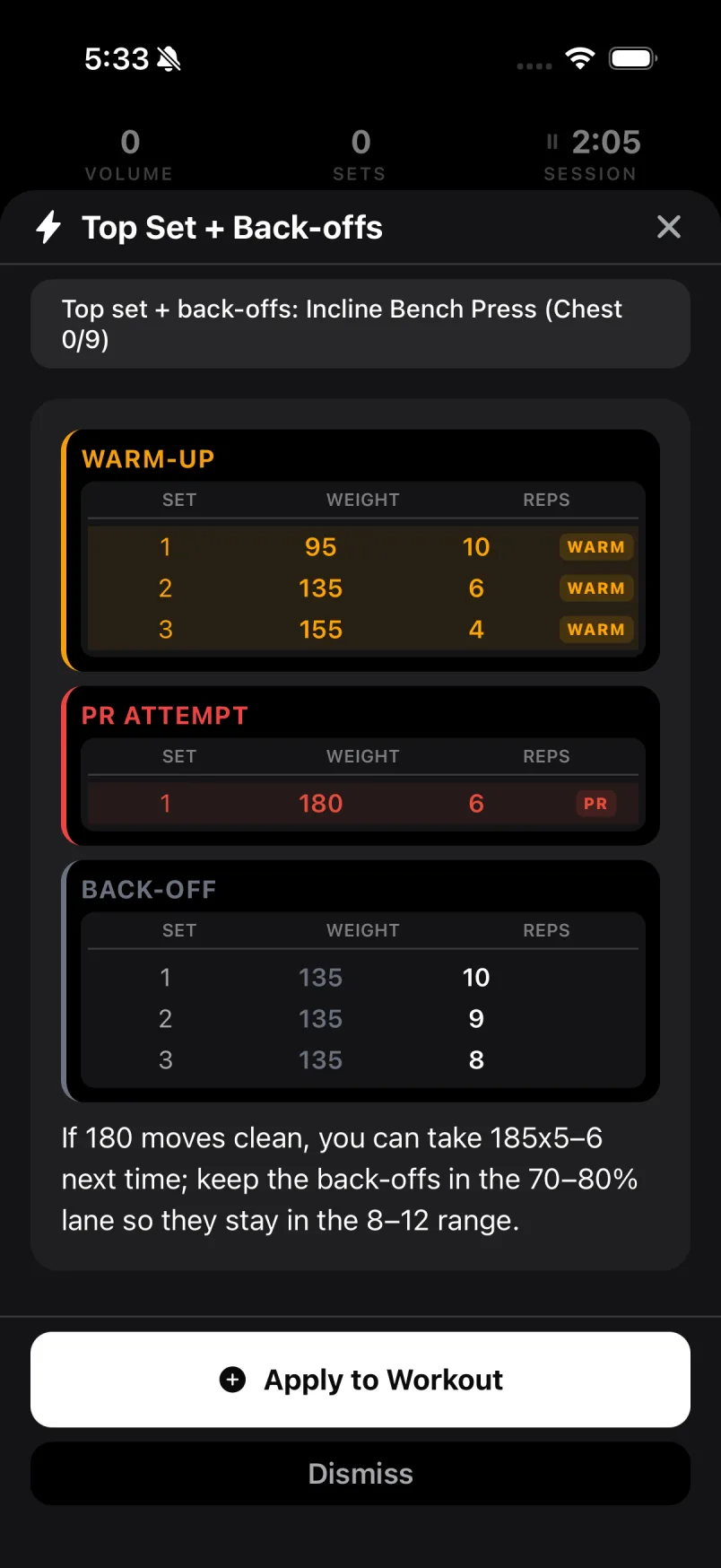
You walk in with a plan. Tap Beat a PR, Build muscle, Top set + back-offs or Next weight, and the whole session lands on the card: warm-ups, the attempt, the back-offs, and the reason.
- Warm-up ramp added when you start cold
- The PR attempt and the back-off lane, spelled out
- One reason in plain words, then Apply
- A warm-up you wrote yourself is left alone
03 · Capped by your log
Never above what
you have shown.
Numbers you can actually lift, every time. The coach reads your recent sets before it speaks, so it cannot prescribe past what you did lately, and a set you took to failure is matched, never beaten.
- Recent performance outranks the all-time record
- Prescriptions are clamped, then snapped to real plates
- Assisted machines and per-hand dumbbells counted the way they are lifted
- Weights spoken in your machine’s unit
04 · The library
Every lift filmed
in a real gym.
The setup you see is the setup in front of you. Each movement, per piece of equipment, filmed by us in our gym, not stock footage. Missing one? Ask and it gets filmed.
- 160 videos across more than eighty movements
- Barbell, dumbbell, Smith, cable and machine variants
- Pick muscles on the body, or in 3D
- Import a plan from a screenshot or pasted text
05 · In the session
Every set
on one row.
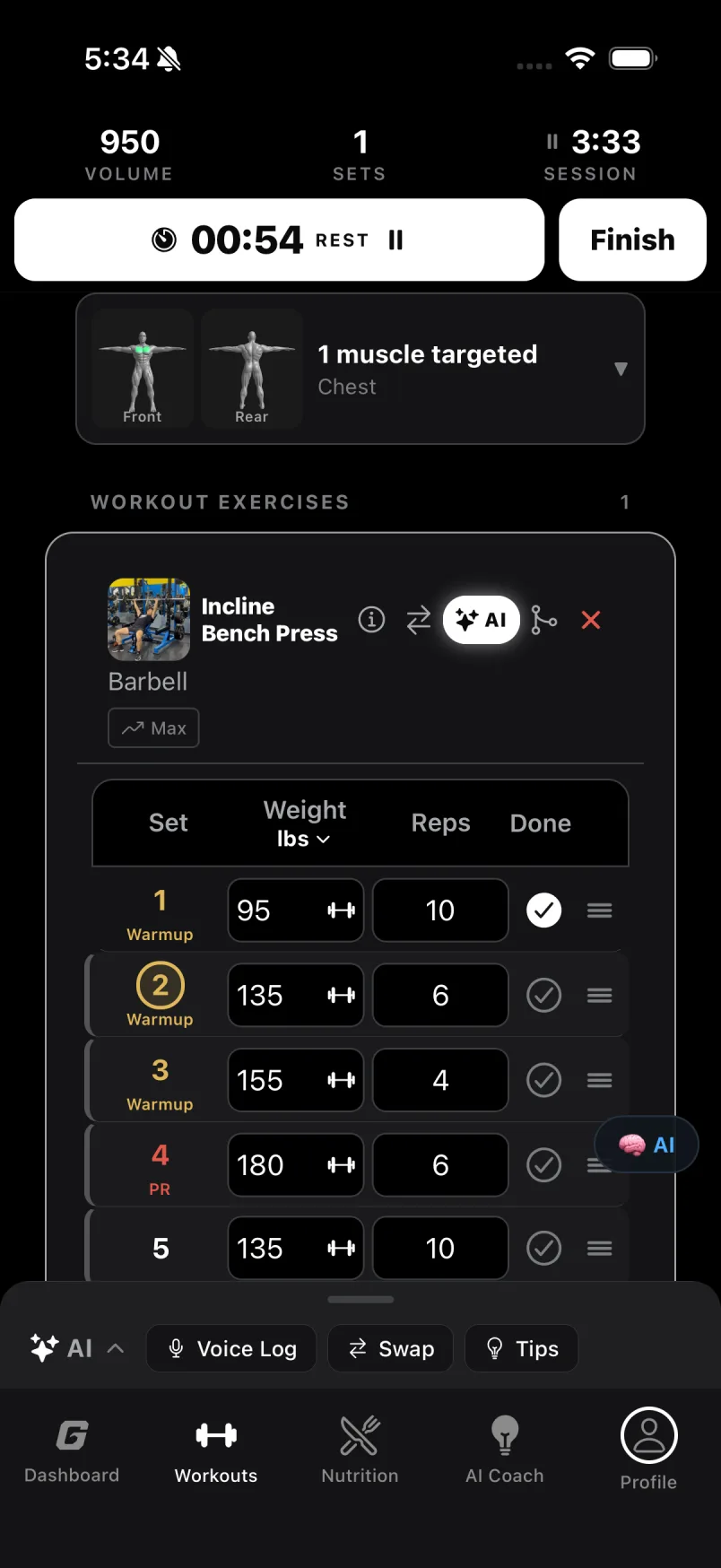
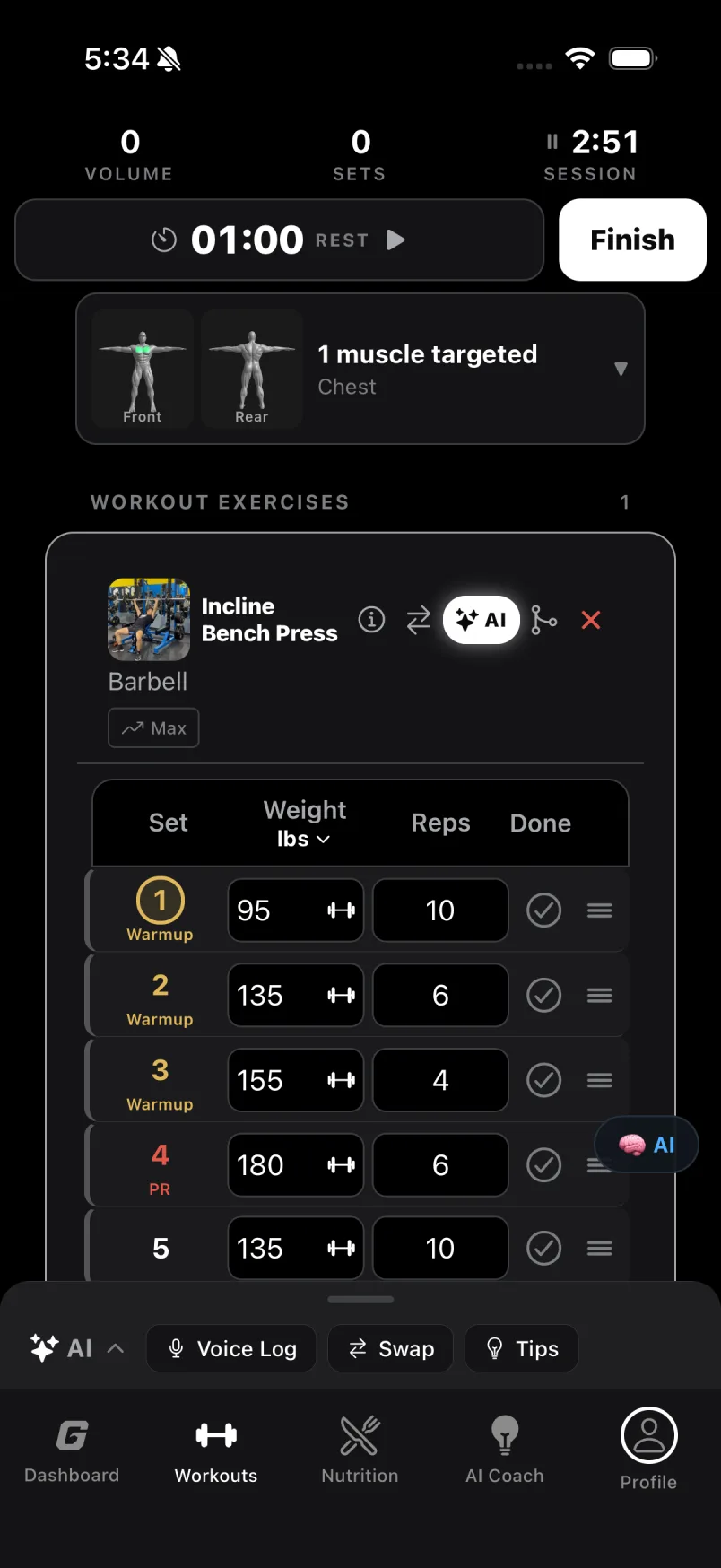
Nothing to hunt for between sets. Set, weight, reps, done. Warm-up, PR and back-off labels sit on the row, rest is already running the moment you confirm, and last time is one column over.
- Rest timer starts on confirm, on the Lock Screen too
- Voice log: “three sets of eight at 135”
- Swipe a set away, drag to reorder
- Beat last time and the card says so
06 · Stuck lifts
It notices.
Then it has a plan.
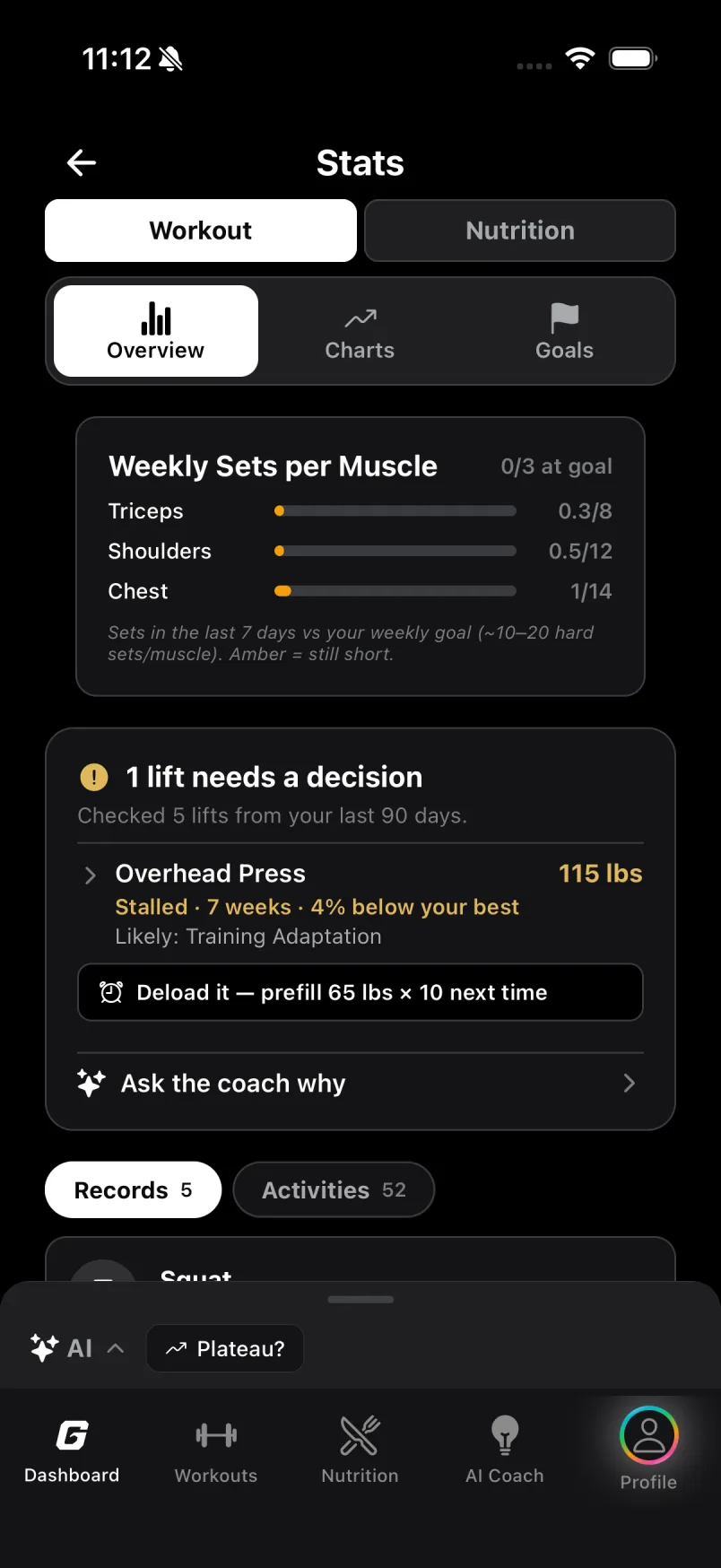
A lift that stops moving is spotted on the phone, no AI call. On the lift’s page: what is happening, why, and a choice of what to do next time. Fewer months lost to a stalled lift.
- The verdict is a color on the card’s ⓘ
- Every option is a sentence a lifter would say
- The plan you pick prefills your next sets
- The coach follows the plan you chose
Read the screen
One screen, four decisions.
Most dashboards are a stack of widgets that all shout at once. This one answers four questions and nothing else. Scroll, and the screen will show you what each part is for.
-
01
The number is what you have left.
Not what you burned, not a score. Room left is the honest state for most of a day, so that is the figure set large. The goal and what you have eaten sit under it in plain words.
-
02
The ring fills as you eat.
A ring that empties as you eat sits at zero after a perfect day, which is the wrong message. This one grows with the day, and it prints past 100% when that is the truth.
-
03
The week ends today.
Seven rolling days, counted in days trained rather than sessions logged. It never empties itself on a Monday morning, and the count in the title is the same count the ticks show, by construction.
-
04
Color is for data.
White is for words. Green means on target, and nothing else on the screen is allowed to be green. Whatever accent color you picked for the app stays off this screen, so when something here is colored, it is telling you something.
For coaches
Coach from what they actually did.
Send one link. Your clients keep training in the Gymswell app; you follow their training, food and progress from your own dashboard on the web.
- Every session, set by setEach workout, every weight and rep, the moment your client saves it, and whether each lift went up since last time.
- Food and body weightCalories and macros against their targets, meal by meal, and the weight trend. Only what they choose to share.
- Plans on their phoneBuild a program once, assign it, and it lands in their My Plans.
- FreeUp to 3 clients$0
- CoachUp to 15 clientsUS$9/month
- StudioUp to 50 clientsUS$19/month
Prices in US dollars, plus applicable tax. Billed monthly, cancel any time. Coach plan terms
How it works
- 1Sign up as a coachFree for up to 3 clients, no card. Your invite link is ready right away.
- 2Invite your clientBy email or with your link. They say yes in the Gymswell app and choose what you can see.
- 3Coach from real dataSessions, food and weight arrive on your dashboard as they log them.
Your clients stay in control: they pick what you see and can stop sharing any time. You read; you never edit their log.
Before you ask
The short answers.
- What does it cost?
- Gymswell is free to use, with no card asked for: logging, the Dashboard and your history cost nothing, and the AI coach comes with a daily allowance of 10 actions. Gymswell Pro is an optional subscription in the iPhone app for unlimited AI, billed through your App Store account and cancellable any time. The log you build stays yours either way.
- Does it work with Apple Health?
- Yes. Your weigh-ins and cardio workouts come in from Apple Health, and every workout you finish goes back to it, with its active energy. Connect Strava and your runs and rides land in the log too.
- Android?
- iPhone and the web today. The web dashboard works in any browser, on any computer.
- Do I have to be online?
- No. Workouts and 13,000 foods live on the phone. The AI coach and photo logging need a connection; everything else works in a basement gym.
- Who sees my data?
- You, and a coach only if you invite one and choose what they see. Your log syncs to your own account; there is no social feed and nothing is sold. Export everything as JSON from the dashboard, or delete the account from the app and it is gone. The privacy policy says the same thing at length.
- Can my personal trainer follow my training?
- Yes. Your trainer signs up at gymswell.com/coach and invites you; you say yes in the app and choose what they see: workouts, notes, food, body weight. Stop sharing any time from Settings.
- How is the coach different from a chatbot?
- It is capped by your log. Before it prescribes, it reads your recent sets, and it cannot ask for more than you have shown it. The plan lands on the workout card as sets, not as a paragraph.
Start today.
Log a set, log a meal, and the Dashboard starts telling the truth about your day. Free, no card, no onboarding tour.